From crumpled paper
to clear record
This is the real app, screen by screen — not mockups. One receipt takes about thirty seconds, and most of that is Pip asking you to double-check its work.
Scan it — or don't
Point the camera at a receipt, import a photo, or pick a PDF. Text recognition runs on your iPhone; then card numbers, emails and phone numbers are stripped out before anything is sent for interpretation. The photo itself never leaves your device.
Prefer to type it in yourself? Manual entry is unlimited, free, and never contacts an AI at all.
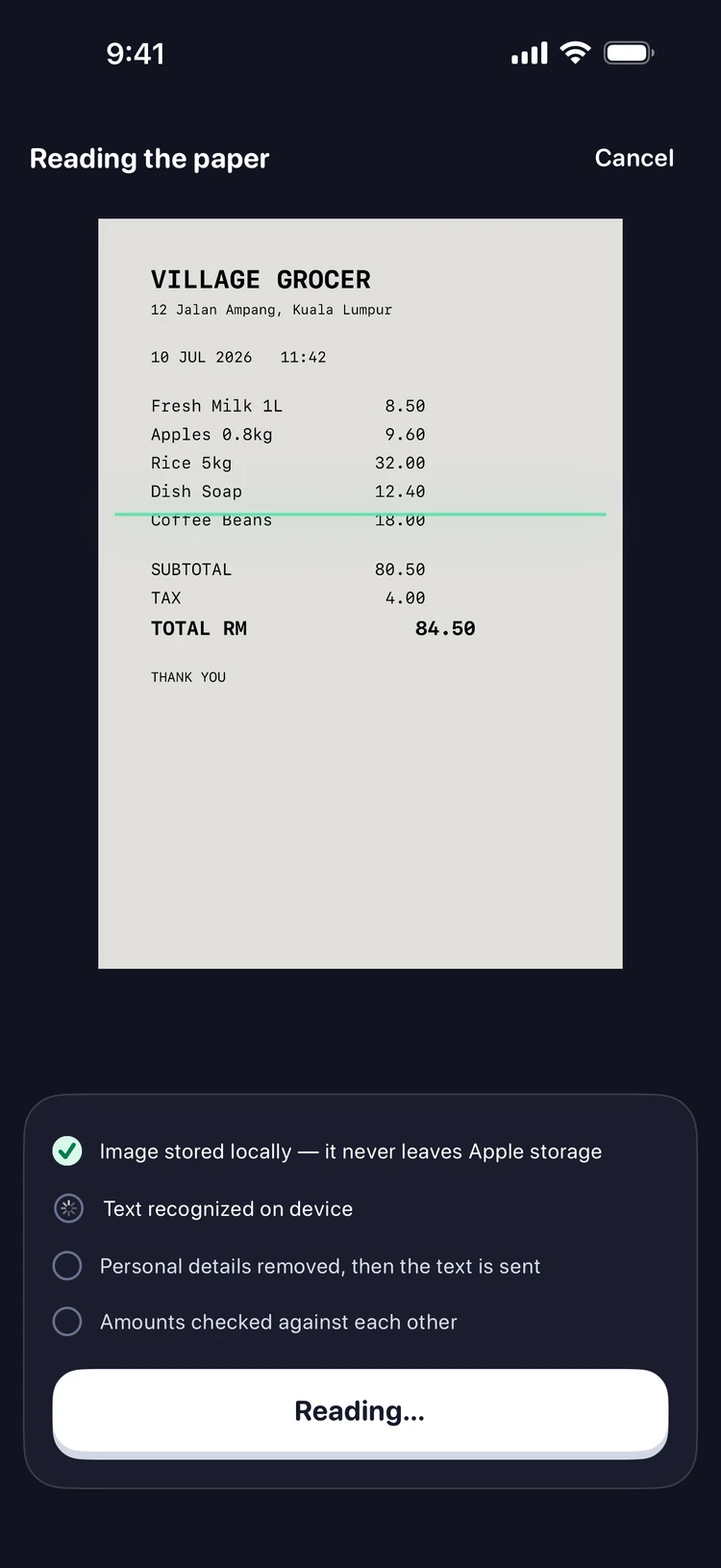
Answer, don't audit
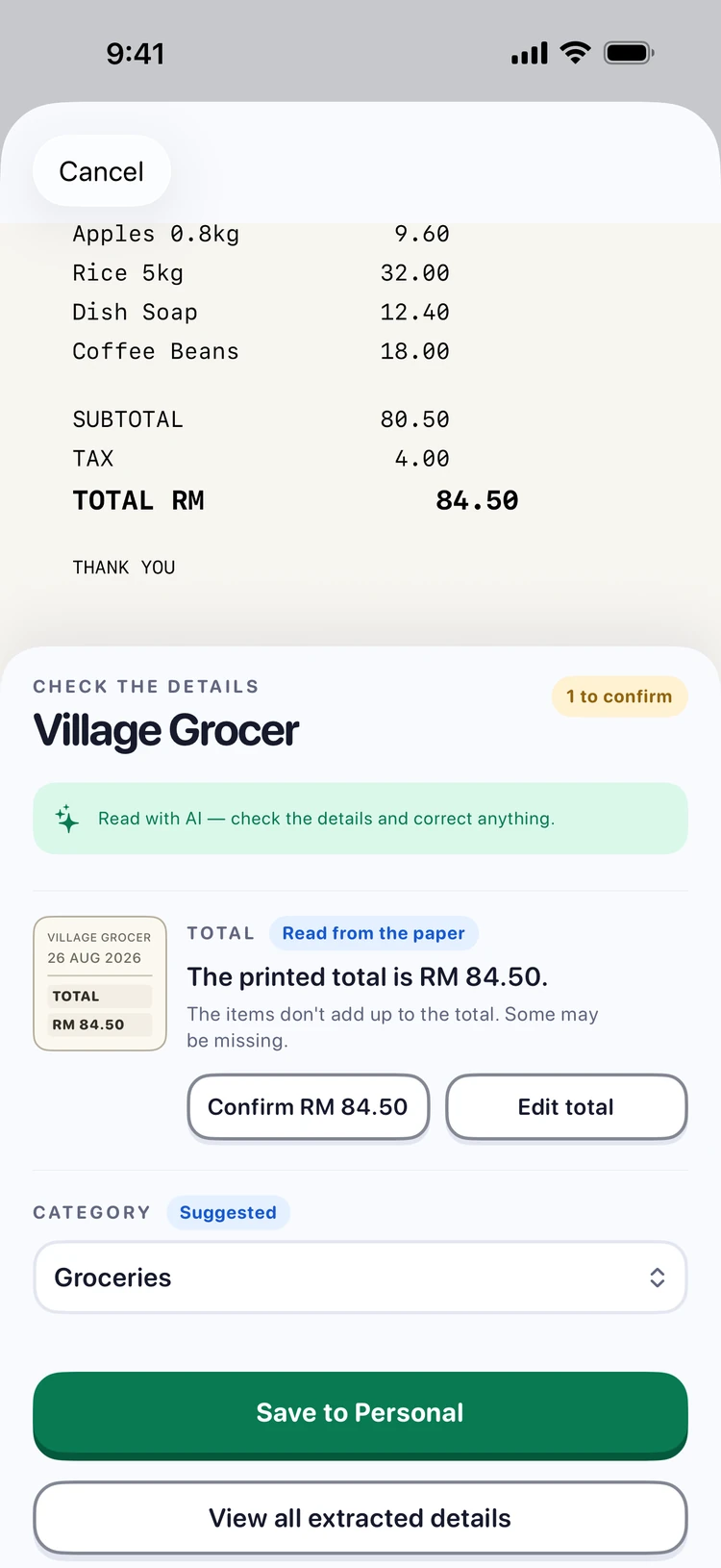
Pip checks its own arithmetic against the printed total. When something doesn't add up — or a figure was hard to read — it asks you a direct question with the evidence right above it. Confirm or correct with one tap.
What Pip is confident about stays out of your way, one tap away under "View all extracted details". Nothing is saved until you say so.
Save it, score it
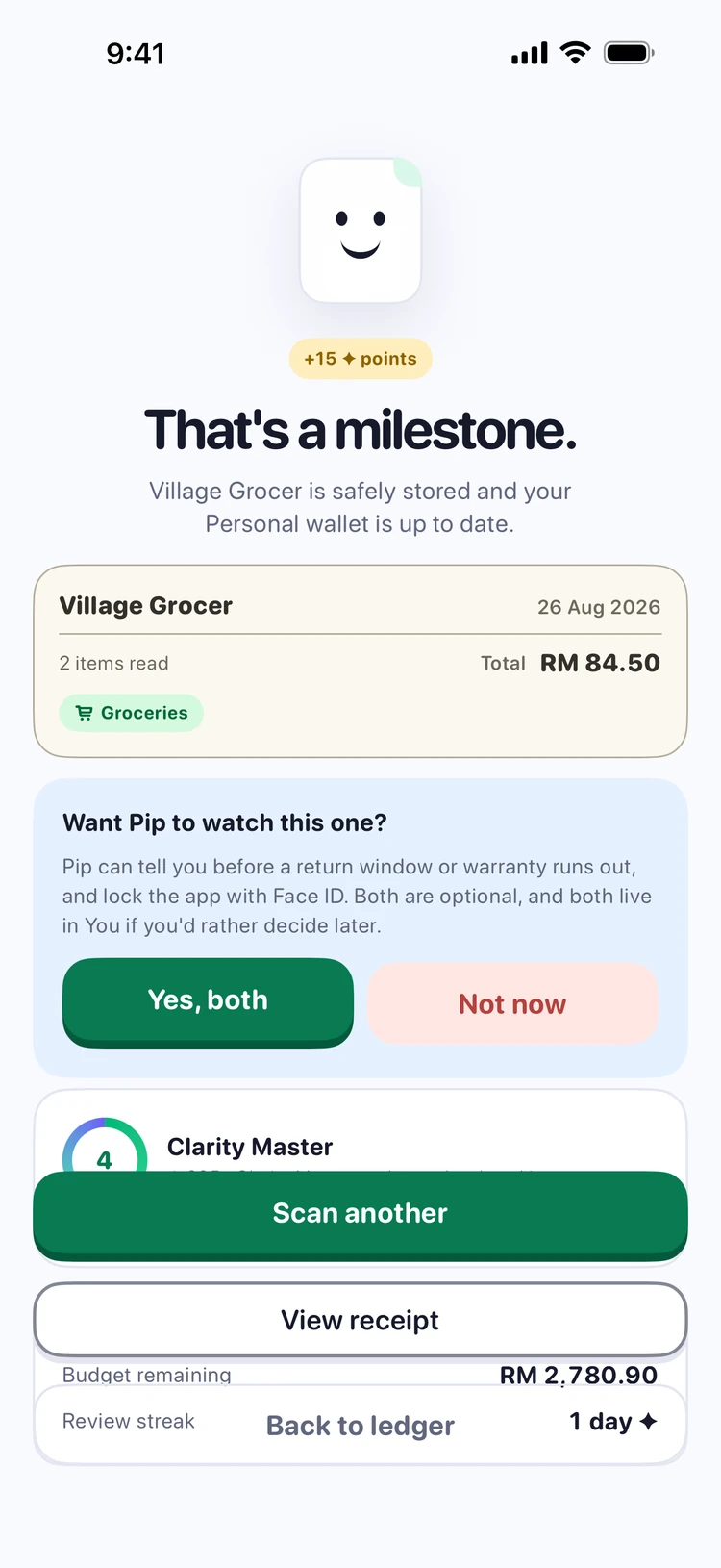
Saving earns clarity points — more if you resolved Pip's questions — and moves you toward the next level. It is housekeeping turned into a small game, and if games aren't your thing, Motivation can be switched off entirely in Settings.
Set a budget, see your pace
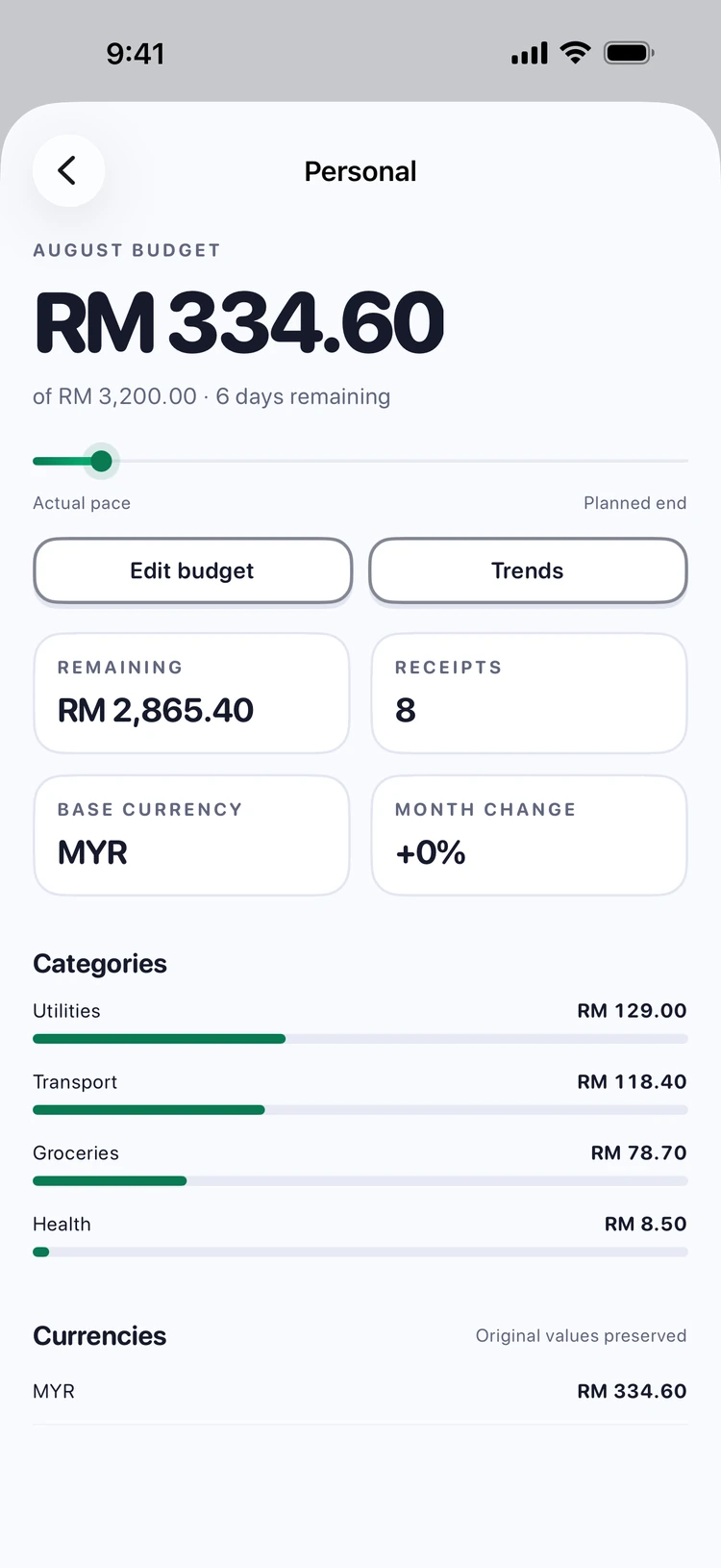
Give a wallet a monthly budget and the ledger grows a trajectory: the plan as a quiet line, your actual spending on top of it, and a pace dot showing where today sits. You can see you're ahead of plan before it becomes a problem, not after.
Optional reminders nudge you at 50%, 80% and 100% — once each, never nagging.
See where it actually went
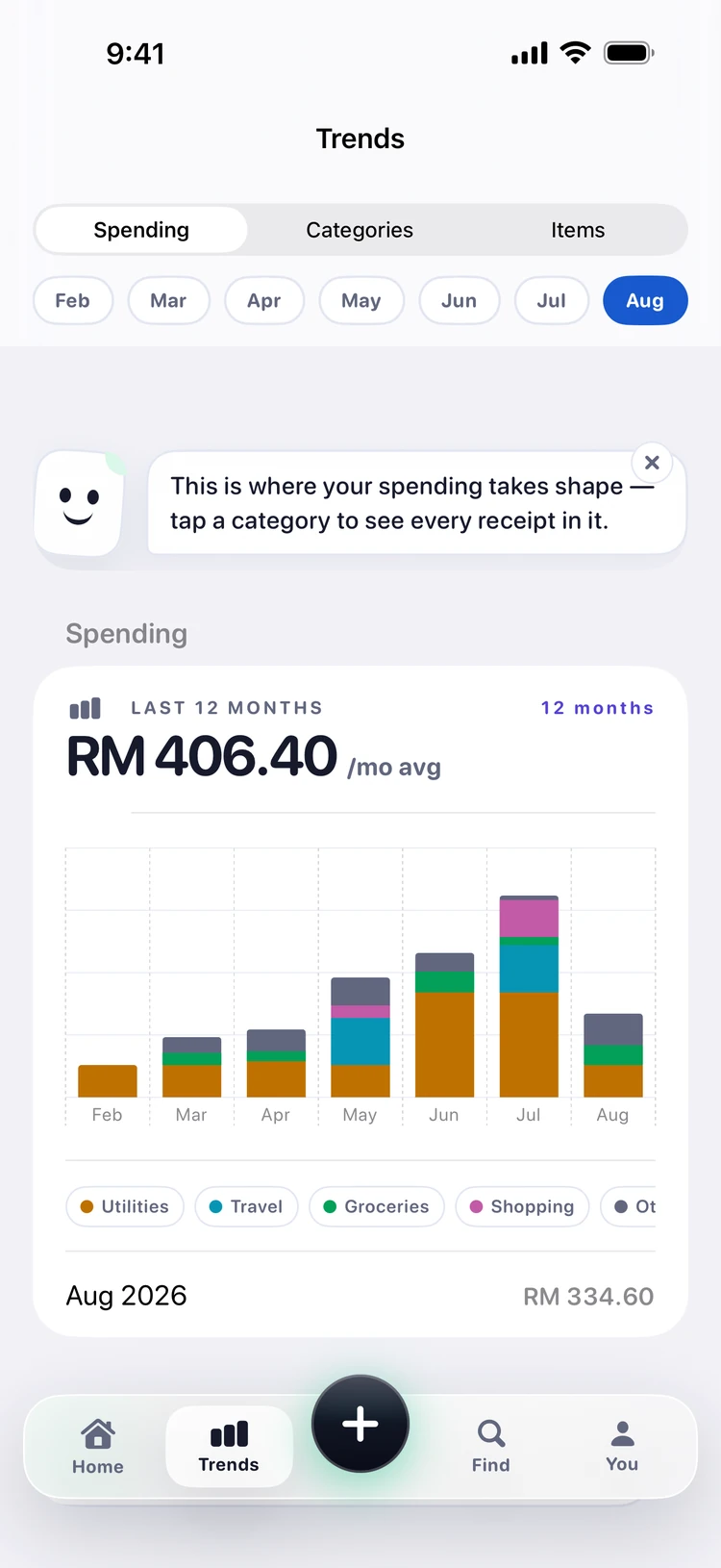
Trends stacks twelve months into one chart, each category its own colour, so a month that felt expensive can be compared with one that didn't. Tap a category and you get every receipt inside it.
Every colour sits beside its own name, on purpose — eleven hues cannot be told apart by everyone, so colour is never the only thing carrying the meaning.
Find it months later
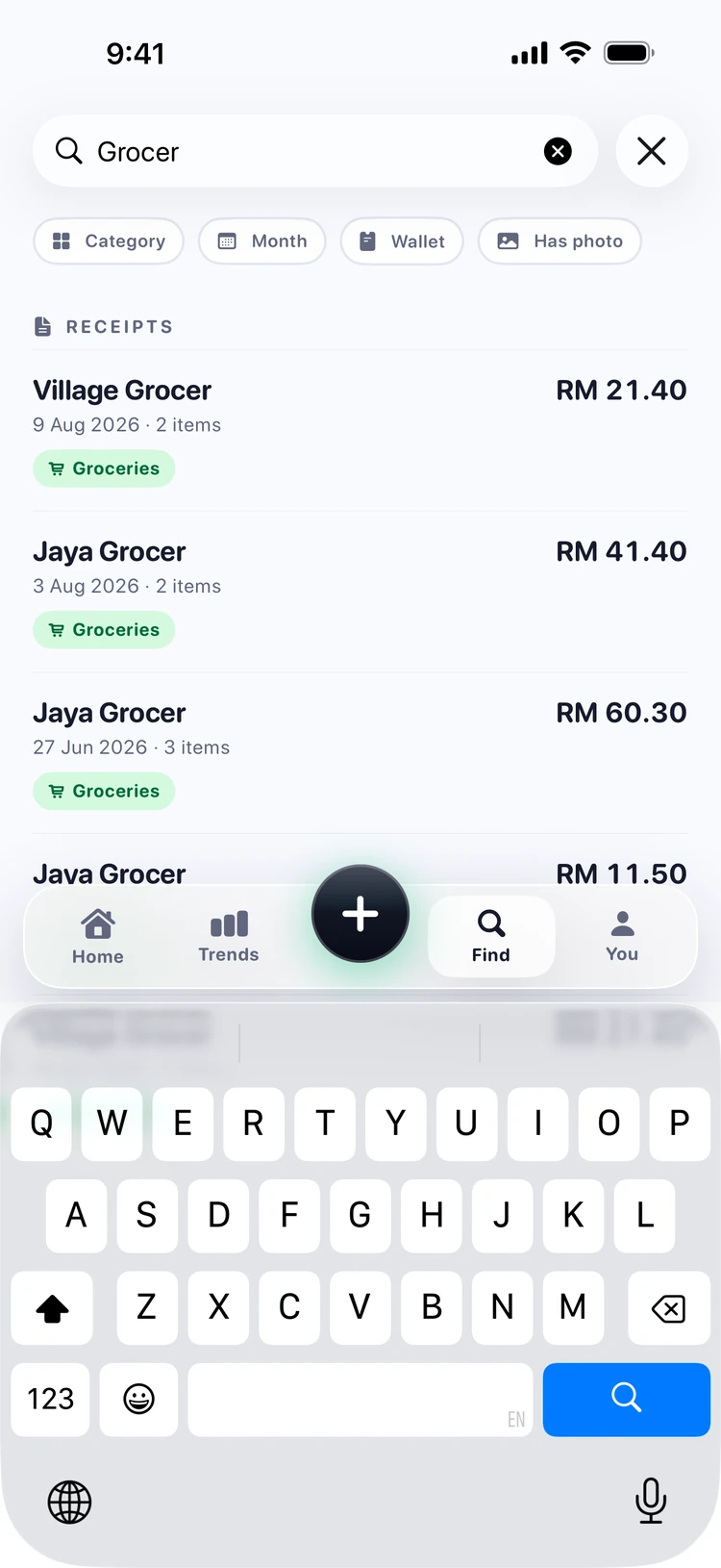
Because Pip keeps every line item — not just totals — you can search for the thing itself. "Milk" finds the receipt it was on and the item's own history: how often you buy it and what it cost each time.
That is the payoff of the thirty seconds: a ledger that can actually answer questions.
Thirty seconds a receipt. Free for 30 a month.
The free plan carries a full household easily — and manual entry is always unlimited. Heavy scanner? Premium raises the limit to 500 →